How to Choose the Right Active Optical Cable?
Choosing an Active Optical Cable is not just a matter of picking the fastest number on a product sheet. The right choice depends on link speed, distance, device compatibility, power limits, and the environment around the cable. A rack-to-rack connection may need different reach and handling than a short link between servers. Small details matter: connector type, bend radius, and whether the cable is replaceable as a complete assembly.
The demand for faster connections is real. Cisco’s Annual Internet Report forecast global IP traffic would reach 396 exabytes per month in 2022. That figure is a forecast, not a current measurement, but it shows why data-center links face growing bandwidth pressure. Stanford photonics researcher David A. B. Miller’s work offers a useful design principle: use optics where they improve the performance of the complete system, rather than choosing them for novelty alone. This is a paraphrase of his research, not a direct quotation.
Check the details. AOC products can simplify installation and resist electromagnetic interference, but they are generally fixed assemblies. If one end fails, replacing the whole cable may be necessary. That trade-off is easy to overlook. This guide explains how to compare speed, reach, compatibility, power, and total cost, so your Active Optical Cable fits the actual link—not just the specification sheet.
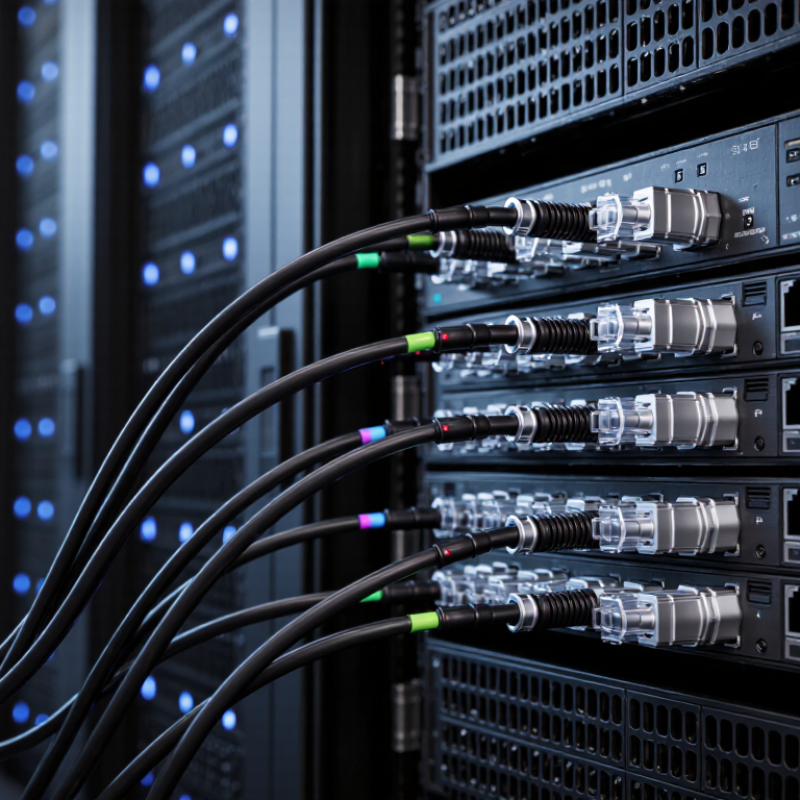
Understand What an Active Optical Cable Is and How It Works
An active optical cable (AOC) is a factory-assembled cable with optical transceivers built into both ends. Each end converts electrical signals from a switch or server into light, sends them through thin optical fibers, then converts the light back into electrical signals. Light carries the distance. Unlike a passive fiber cable, an AOC needs power at its endpoints, usually through the connected equipment. Its connectors are attached, so you cannot replace the fiber separately if a connector is damaged.
The mechanism is straightforward, but choosing one is not just a matter of matching connector shapes. Check the required data rate, cable length, port type, and equipment compatibility. A 3-meter link between neighboring racks has different needs from a longer route across a room. Also consider airflow: active components at the ends produce some heat. IDC’s 2018 Data Age 2025 report forecast 175 zettabytes of data creation by 2025; it was a forecast, not a confirmed measurement. Synergy Research Group reported that cloud infrastructure service revenue reached $91 billion in Q4 2024, reflecting continued investment in data infrastructure. These figures help explain demand for high-capacity links, but they do not prove an AOC is right for every connection. Verify the device specifications before ordering. Small detail, big headache.
How to Choose the Right Active Optical Cable
These figures show maximum link distances for selected Ethernet standards over OM4 multimode fiber: 10GBASE-SR (400 m), 25GBASE-SR (100 m), 40GBASE-SR4 (150 m), and 100GBASE-SR4 (100 m). They are reference benchmarks, not universal AOC limits. Before choosing an AOC, check its supported data rate, exact cable length, connector type, and compatibility with your equipment.
Define the Data Rate and Bandwidth Your Application Requires
Start with the workload, not the cable label. Record peak traffic between the switches, servers, or storage devices the AOC will connect. Include simultaneous users, large file transfers, and bursty workloads. A link’s nominal rate is not the same as usable application throughput. Account for protocol overhead and avoid planning around average traffic alone. Measure, don’t guess.
The 2018–2023 Global Cloud Index projected annual data-center IP traffic of 20.6 zettabytes by 2021. That was a forecast, not a measured result. It illustrates why traffic demands can rise quickly, but it cannot determine your specific cable speed. The 2024 Ethernet Roadmap covers 800GbE and 1.6TbE rates, showing how link targets continue to advance. Check the AOC’s supported data rate against both endpoint ports, and verify that its reach suits the actual rack path, including routing slack. Leave practical headroom for growth, but don’t pay for capacity your equipment cannot use. Real traffic is messy. A short test under peak load can reveal bottlenecks that a spreadsheet misses; repeat it after major storage or software changes.
Match Cable Length, Connector Type, and Device Compatibility
How to Choose the Right Active Optical Cable?
Match cable length, connector type, and device compatibility before comparing prices. An active optical cable (AOC) converts electrical signals to light inside its ends, so it cannot be cut or extended like ordinary patch cord. Measure the actual route, including rack turns and service slack. Too short strains the ports; too long adds clutter and can complicate airflow. A Cisco Annual Internet Report forecast projected global IP traffic at 396 exabytes per month by 2022. That forecast is dated, but it illustrates why link capacity and upgrade plans matter. Choose a cable rated for the required data rate and distance, not just today’s traffic. Leave room for a future change, if practical.
Check the connector at both ends against the exact device port and supported interface. Similar-looking connectors do not guarantee interoperability. Consult the equipment manual for supported speed, lane configuration, and optical link requirements; then verify the cable’s compatibility list with the supplier. IEEE 802.3 Ethernet specifications define different reach and signaling requirements for optical links, so “40G” or “100G” alone is not enough to establish a match. Check both ends. Also confirm bend radius and whether the cable is directional. Before ordering, I would test one sample in the intended devices. It can feel overly cautious, but a link that fails negotiation wastes more time than a careful check. I still measure twice.
Compare Power Needs, Durability, and Operating Conditions
How to Choose the Right Active Optical Cable?
Power needs, durability, and operating conditions deserve attention before you compare cable lengths. An active optical cable uses powered electronics at its ends, so check the host port’s power budget and the cable’s stated requirements. A link that works on a test bench may become unreliable when several ports share limited power. Check compatibility with the equipment at both ends, too. Small details matter.
Durability depends on more than the jacket. Look for secure connector housings, strain relief, and a bend radius that fits your rack layout. Avoid tight loops behind equipment or pulling the cable by its connectors. AOC cables resist electromagnetic interference along the optical path, but their end electronics still need sensible handling. I’ve seen tidy installations hide awkward bends; they looked fine until maintenance began. Operating temperature, airflow, dust, and vibration also matter. Warm, crowded cabinets can shorten component life.
Tips: Confirm power and compatibility before ordering. Measure the real route, including service loops. Check temperature ratings against the equipment space, not just the room. Keep connectors clean and avoid sharp bends. If the cable feels forced, rethink the path. That extra check can save a frustrating revisit.
Verify Standards, Certifications, and Total Cost Before Buying
How to Choose the Right Active Optical Cable?
Verify Standards, Certifications, and Total Cost Before Buying
Check that the cable supports the exact Ethernet or InfiniBand standard, data rate, and port configuration in your system. IEEE 802.3 specifies Ethernet interfaces, but standard compliance alone does not guarantee compatibility with every device. Confirm connector type, cable length, and supported operating temperature. Ask for test evidence covering bit error rate and optical performance. A certificate for a similar model may not apply.
Certifications matter. Verify that safety and electromagnetic compatibility documents cover the complete cable assembly and the market where it will be used. Then compare total cost, not just the purchase price. Include power use, spare inventory, warranty, replacement labor, and the cost of link downtime. Uptime Institute’s 2023 Annual Outage Analysis reported that 60% of significant outages cost at least US$100,000. Even a short link failure can become expensive. A spreadsheet can still miss the hassle of replacing a cable in a crowded rack.
Tips: Request the manufacturer’s test report and certification scope before ordering. Match the cable’s length and connector ends to your rack plan. Check warranty terms and keep one tested spare for critical links. Recheck compatibility after any switch or server change. It is easy to overlook that last step.


